For videographers
The teleprompter app for your camera rig
Put a phone or an iPad under the beam-splitter glass, tap Mirror, and your talent reads straight into the lens. Run it from your own phone, keep the takes moving, and let your client rehearse the script before the shoot.
Mirror, Flip and every prompter setting are free on the web, iPhone, iPad and Mac. The phone remote and practice links are part of Pro, from €5.75/month billed yearly.
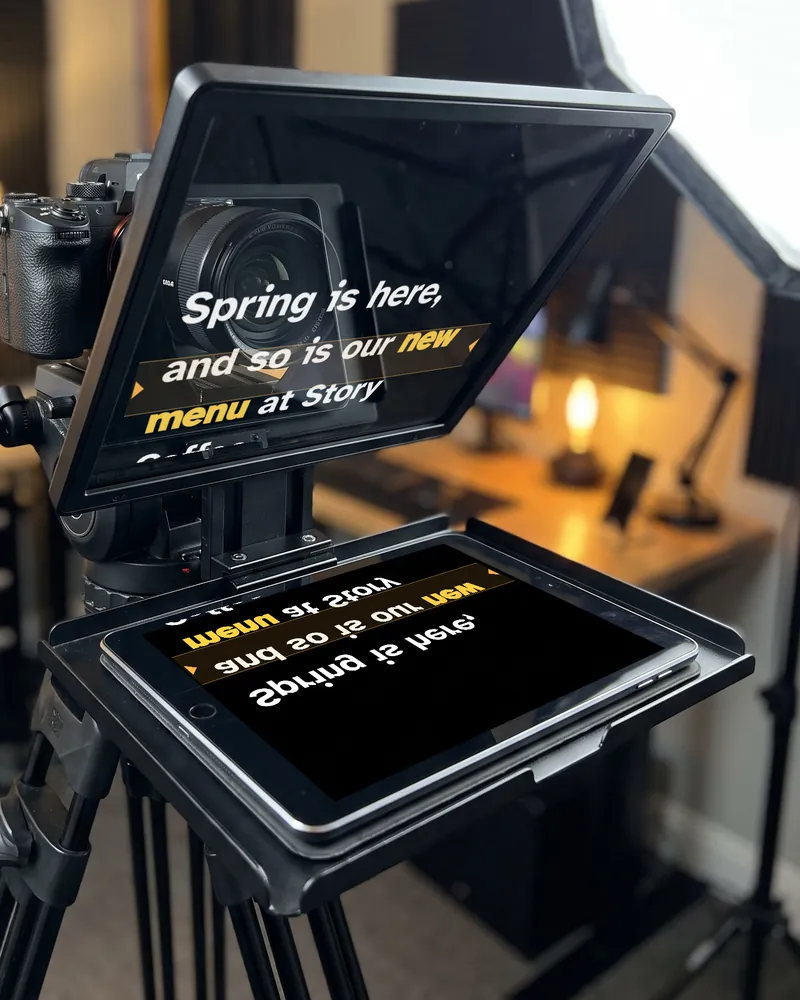 The right way round in the glass
Mirrored on the iPad
The right way round in the glass
Mirrored on the iPad
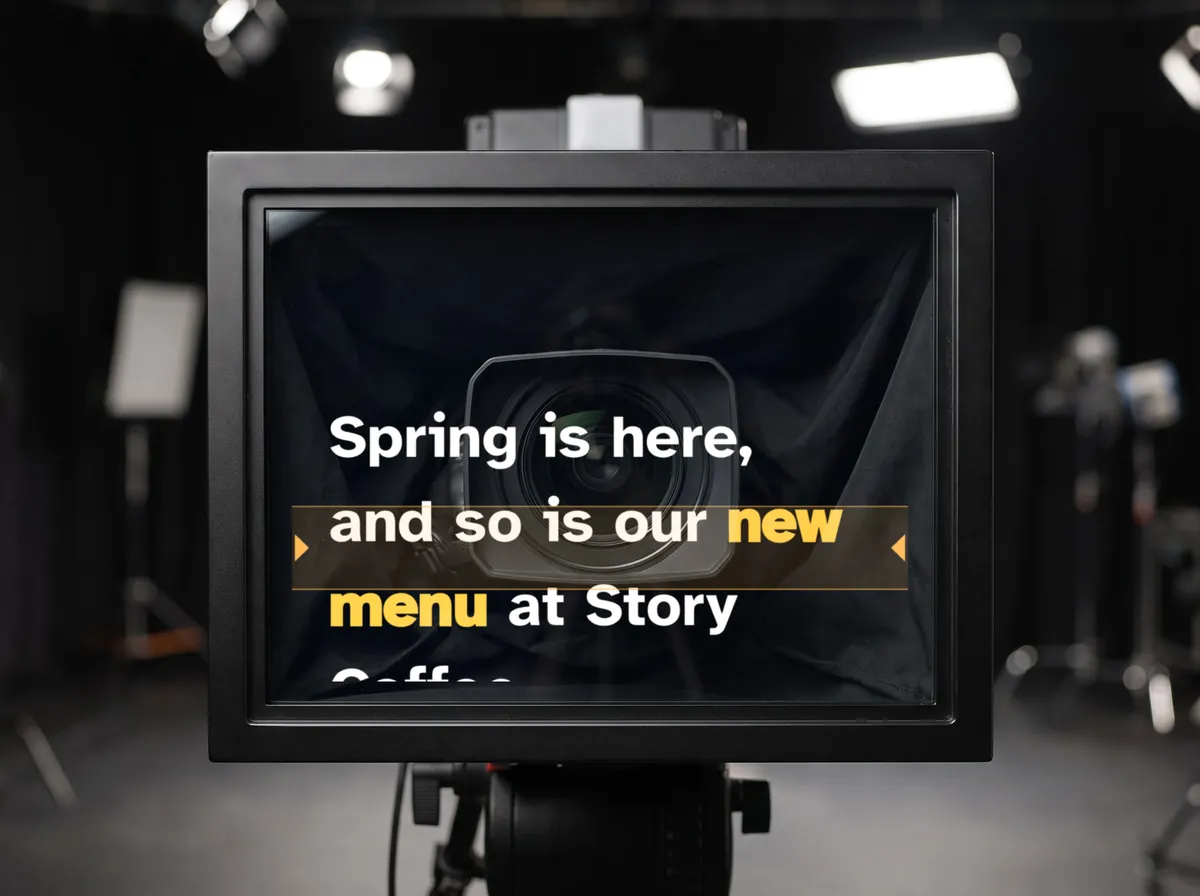
00:10 What your talent sees
Words over the lens, eyes on the viewer
The glass shows the script right in front of the lens, so the person on camera reads and keeps eye contact at the same time. EasyPrompter is built for that reflection:
- Big, bold text in white or yellow on black, the colours that reflect best
- A reading line you move to the height of the lens
- Side margins so every line stays inside the glass
- No buttons in the glass: the controls hide while the text scrolls
- A 3-2-1 countdown before each take
00:20 On set
Ready in two minutes
On the phone or iPad that goes in the rig, in the web app or the app for iPhone, iPad and Mac.
Load the script
Paste it, open it from your account, or open the practice link your client already rehearsed.
Tap Mirror
In the prompter's quick settings, or press M. Add Flip if the text comes out upside down in your rig.
Line it up
Line moves the reading line to the lens, Spacing sets the side margins, and the size is set for the distance.
Roll
Start from your phone, a Bluetooth clicker or the keyboard. The countdown runs, then the text.
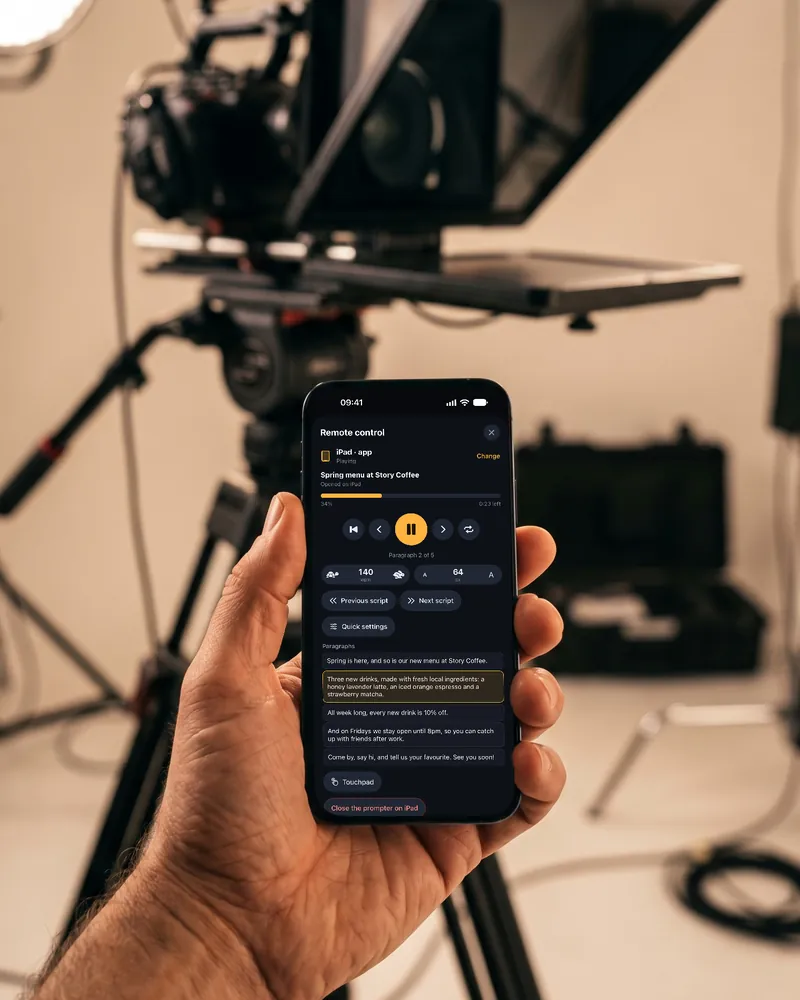
Remote control Pro
Run the rig from your phone
Once the iPad is under the glass, you shouldn't have to reach into the hood. Your phone becomes the remote: scan the QR code and you drive the prompter from behind the camera.
- Play, pause, speed and text size
- Jump to any paragraph for a pickup
- Switch Mirror and Flip without touching the rig
- Move to the next script between setups
- A Bluetooth clicker or keyboard also works, for free
00:30 Any rig
From a phone hood to a studio prompter
Phone and tablet rigs
Compact hoods for an iPhone or an iPad: EasyPrompter runs on the device in the tray, with Mirror on.
Studio prompters with a monitor
On a computer, Another screen puts the prompter on the rig's monitor and keeps your laptop as the control panel. An iPhone or iPad shows it on a connected monitor.
No rig today?
Use eye contact: the lines sit right under the camera of a phone, an iPad or a Mac, and you can record the take.
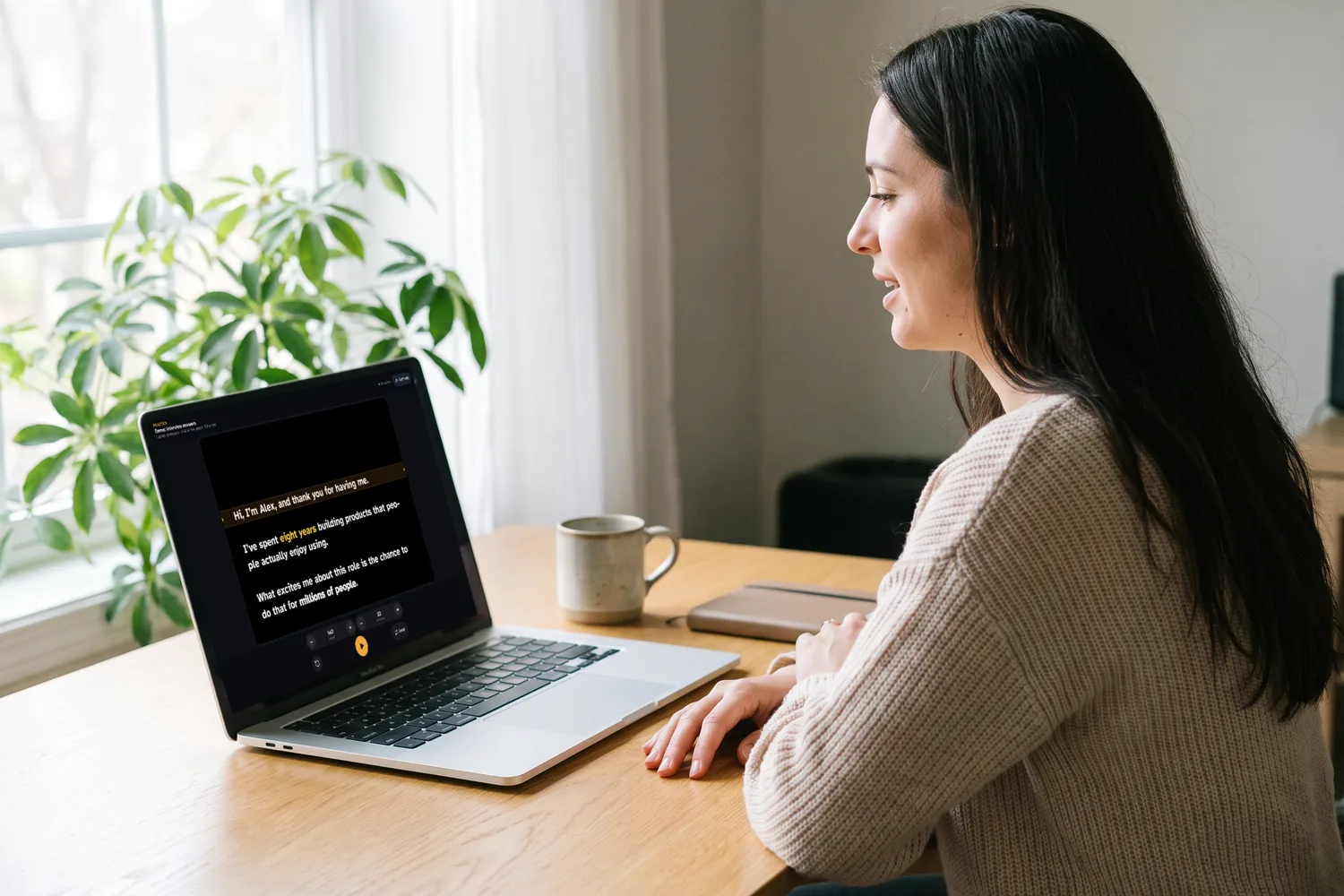
00:40 Before the shoot Pro
Your client arrives already rehearsed
Send a practice link the day before. Your client rehearses the script laid out for the screen you'll use on set, at their own speed and text size, and their changes come straight back into your script. On the day, you open it on the rig and start at their pace.
00:50 Made on real shoots
Built by a videographer
Yves Benini films interviews, testimonials, events and brand films for businesses. EasyPrompter is the teleprompter he wanted on his own shoots: quick to set up in the rig, easy to steer from behind the camera.
Teleprompter rig questions
Does EasyPrompter work with my beam-splitter teleprompter?
Yes. Any rig that holds a phone or tablet under the glass works: open EasyPrompter on the device, start the prompter and tap Mirror in the quick settings. Rigs with their own monitor work too, from a computer with Another screen or from an iPhone or iPad connected to the monitor.
Do I need to flip the text upside down too?
Only if the reflection reads upside down, which depends on how the device lies in the tray. Put a short line on screen and look into the glass from the talent's seat: backwards means Mirror, upside down means Flip.
How do I control the prompter when the device is in the rig?
With Pro, from your own phone: it becomes the remote, with play, pause, speed, text size, paragraphs, Mirror and Flip. A Bluetooth clicker or keyboard works for free: Space plays and pauses, the arrows change the speed and move between paragraphs, M switches Mirror.
Can I use a studio prompter with an HDMI monitor?
Yes. On a computer, Another screen moves the prompter to its own window: drag it onto the prompter's monitor and press Full screen, while the laptop stays your control panel. On an iPhone or iPad, connect the monitor and the prompter shows there.
Phone or tablet in the rig?
A tablet gives bigger letters, which helps when the talent sits a couple of metres from the lens. A phone is fine for compact rigs and close framing. Either way, use white or yellow text on black and turn the brightness up.
Is mirror mode free?
Yes. Mirror, Flip and every other prompter setting are free on the web, iPhone, iPad and Mac, with no account. Pro adds the phone remote, practice links, saved scripts and the AI script writer.
Can my client rehearse before the shoot?
Yes, with Pro. Send a practice link: they rehearse the script laid out for the screen you'll use on set, and their edits, speed and text size come back into your script, so you start the day at their pace.
Try it in your rig
Open EasyPrompter on the device under the glass, paste a script and tap Mirror. No install and no account needed.