Features
Teleprompter features that keep your eyes on the lens
EasyPrompter is an online teleprompter with the controls you'd expect from studio software: precise speed, a reading line, mirror mode, remote control and type you can actually read. The prompter is free, in your browser and the apps, with your lines right under the camera when you want them. Pro adds recording, an AI script writer, a phone remote and practice links for your speakers.
00 The main features
Six things that make EasyPrompter different
Each has its own page with every detail. The rest of this page covers everything else the teleprompter does.
Eye contact and recording New
Your lines sit in a narrow island right under the camera: the notch on a Mac, the Dynamic Island on an iPhone. See yourself behind the script, and record the take with one button (Pro). Keep it on your device, or in Your videos for the video editor.
Eye contact and recordingVideo editor Beta
Edit your takes in the browser: cut the stumbles, lay B-roll over your words, add music and sound effects, fix the color, add titles, crop for any platform and export an MP4. In beta, in Pro, with 10 GB for your videos.
The video editorAI script writer Pro
Describe your video and get a script written to be spoken, sized to your reading speed, in seven languages. Then adjust any script with AI: shorter, warmer, simpler or translated.
The AI script writerRemote control from your phone Pro
Scan a QR code and any phone becomes the remote, with no app or sign-in. Play, speed, paragraph jumps and a touchpad mode, from behind the camera.
Remote controlPractice links Pro
Send the script to your speaker. They rehearse on a real prompter laid out like the shoot screen, fix the wording and set their own speed.
Practice linksMirror mode for teleprompter glass
Mirror and flip for beam-splitter rigs, free for everyone. Set up a glass teleprompter with a phone or tablet in minutes.
Mirror mode and beam splittersEye contact and recording New
Read right under the lens, and record the take
Press Start camera. The front camera turns on and the lines you read move into a small black island right under the lens, so your eyes stay on the camera. Press Record and the recording and the scrolling start together.
- Eye contact, free: two lines at a time, 360 px wide to start, and Island width from 240 to 800 px
- The camera, free: behind your script, to check your framing and light
- Recording Pro: the script stays out of the video. Keep the take on your device, or save it to Your videos
- Mac app: the island hangs from the notch above every app, for video calls
Where the island sits
Under the Dynamic Island on an iPhone, beside it when the phone lies on its side, from the top edge on an iPad, from the notch on a MacBook, and at the top of the window in any browser.
Your takes, your choice
The camera picture never leaves the device you record with. A take is only uploaded when you press Save to my videos (Pro).
Video editor Beta
Edit the take without leaving EasyPrompter
Press Save to my videos after a take, then Video editor next to your script. Everything in Your videos is ready on the timeline, in your browser on a computer.
- Four tracks: Main video for your takes, B-roll over them, Music and Sound effects
- Trim, split and delete to cut the stumbles and the dead air
- Sound, color and crop on every clip, plus titles and transitions, in horizontal, vertical or square videos
- AI Generate: music, sound effects and a B-roll plan from what you say, paid with credits
- Export an MP4 up to 4K, made on your computer, and keep a copy in Your videos
Your videos Pro
10 GB in your account for takes, clips, music and pictures, up to 2 GB a file, so every device you sign in on can use them.
Step by step
How to edit a talking-head video and how to add B-roll, music and sound effects, with a picture of every step.
01 AI script writer Pro
From an idea to a script you can read in one take
Tap Write with AI, describe the video and pick a length, a tone, a format and a language. The script arrives as a new one, sized to your reading speed.
- Lengths from 30 seconds to 5 minutes, matched to your words per minute
- Seven tones and six formats, from social videos to speeches
- Adjust with AI: rewrite any script shorter, warmer, simpler or more formal, add a call to action, fix the grammar or translate it
Seven languages
English, French, Dutch, German, Spanish, Italian and Portuguese, or the language you typed in.
Your script stays yours
A new draft never replaces an existing script unless you choose to.
02 Remote control Pro
Your phone is the remote. Any phone.
Press Remote control on the screen you'll read from and scan the QR code with any phone: it becomes the remote, with no app and no sign-in. Or drive one signed-in device from another, computer to phone or phone to laptop.
From the remote you can
- Start, pause and restart, with the 3-2-1 countdown
- Change speed and text size while it scrolls
- Jump to the previous or next paragraph, or any paragraph in the list
- Use the prompter's own toolbar: mirror, flip, reading line, loop
- Swipe in touchpad mode: up for faster, down for slower
- Edit a line and press Save & sync, without losing the place
03 Practice links Pro
Share a script so your speaker can rehearse before the shoot
The person reading the script is often not the person who wrote it. Send them a practice link: they open it on any phone or computer, with no account and nothing to install, and rehearse on a prompter set up like the one on set.
- Laid out like the shoot screen: iPhone, Android, iPad, laptop or monitor, portrait or landscape
- Their words, their pace: they edit the wording and set their own speed and text size
- Back in your script: their words, speed and text size come straight into your script
See the demo as an iPhone, an iPad on its side or a laptop.
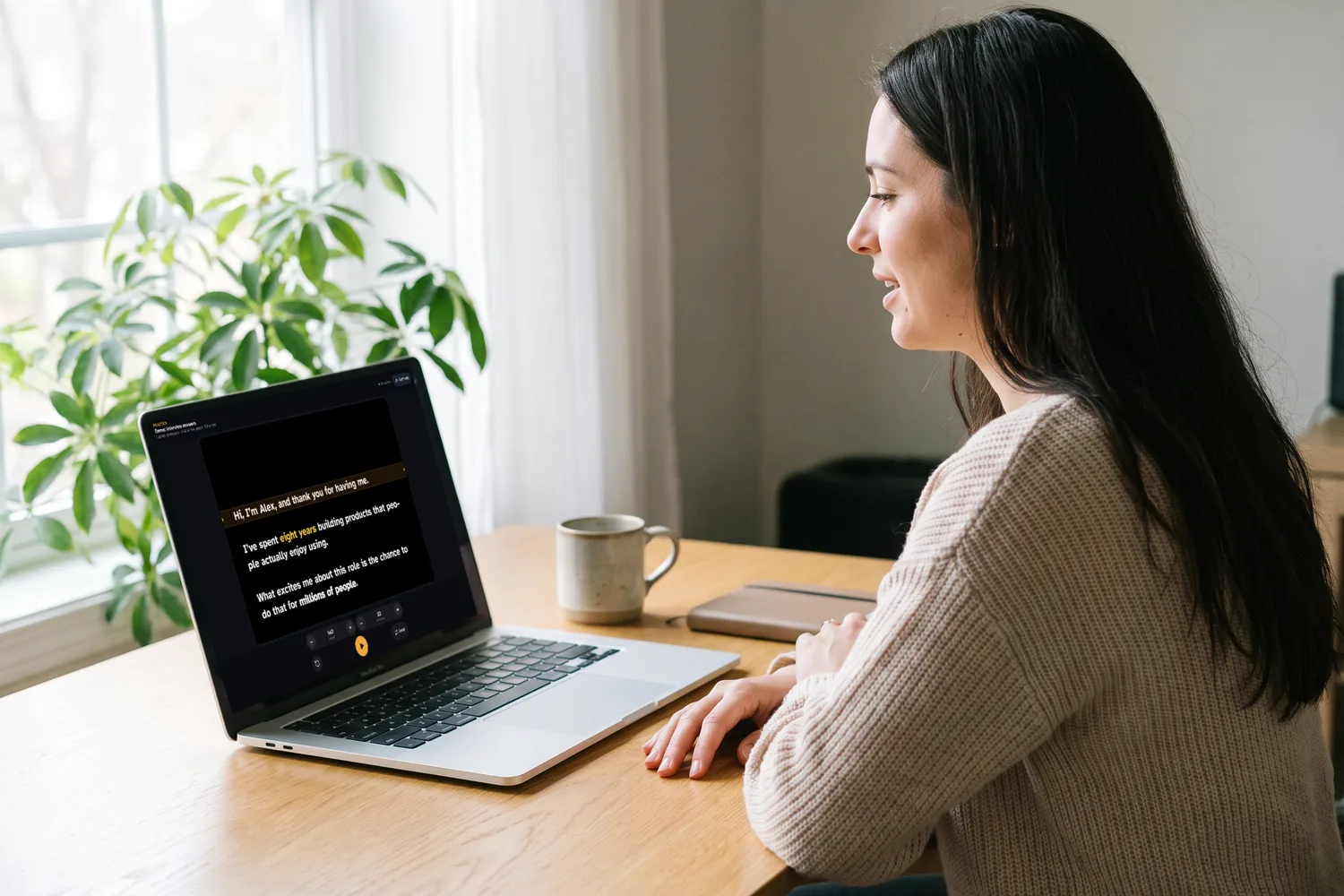
04 The prompter
Scrolling that follows your voice, not the other way round
Set your speed in words per minute instead of a vague 1 to 10 scale. EasyPrompter turns that into smooth, steady scrolling, so a 140 wpm script reads at 140 wpm whatever the font size.
- Speed from 40 to 320 words per minute, adjustable while you read
- Amber reading line, with its position adjustable from the top to the middle of the screen
- 3-2-1 countdown before the text starts moving
- Loop at the end for rehearsals and repeated takes
- Tap the text to pause, drag it to go back a line
- On a computer, the mouse wheel or trackpad moves the text too
- A thin progress bar shows how far through the script you are
- The screen stays awake while you prompt, in browsers that support it
While you're prompting
The control bar gives you edit, back to top, play/pause and loop, plus previous and next script with Pro. Speed and size steppers sit right above it. When you start reading, the controls get out of the way. All the prompter settings live right here, in the prompter, so the script editor stays about the words.
A camera-style quick menu
One swipeable strip, like the mode dial on a camera app: Font, Colors, Mirror, Flip, Layout, Line, Countdown, Center, Caps and All settings. Fix a problem between takes without leaving the prompter.
05 Readability
Type you can read from two meters away
Readable text is what stops you squinting on camera. Every visual setting is yours to tune.
Six typefaces
Atkinson Hyperlegible (easiest to read), DM Sans, Roboto Condensed (more words per line), Source Serif, JetBrains Mono and your system font.
Your colors
Background and text presets such as white or yellow on black, plus a custom color picker for each.
Size and spacing
Font size from 10 to 120 px, line spacing from 1.0 to 2.2, and side margins up to 30% to keep your eyes moving less.
ALL CAPS and center text
Switch to capitals or centered lines if that's how you were trained to read a prompter.
Preview mode
A clean, full-screen read-through of your script before you record. With Pro, swipe between your scripts.
Full screen
Hide everything but your words. With Pro, install the app for full screen with no browser bars at all.
06 Mirror mode
Mirror and flip for beam-splitter teleprompter glass
On a glass teleprompter rig, the screen lies under an angled mirror and its reflection is what you read. EasyPrompter's Mirror reverses the text so the reflection reads normally, and Flip handles rigs that turn the image over. See it on a camera rig.
Press M on a keyboard or remote to toggle mirroring without touching the screen.
Normal, and mirrored left/right for the glass
07 Keyboards and clickers
Control it with a keyboard, clicker or foot pedal
Pair a Bluetooth keyboard, a small media remote or a presentation clicker with your phone, tablet or computer and drive EasyPrompter without reaching for the screen. Most clickers send Page Up and Page Down, which jump to the previous or next paragraph.
Foot pedals keep both hands free. A USB or Bluetooth page-turner pedal that types keys works straight away: set one pedal to Space to play and pause, or to Page Down and Page Up to move paragraph by paragraph.
Want to drive the prompter from another screen? With Pro, any phone becomes the remote by scanning a QR code.
| Key | Action |
|---|---|
| Space | Play or pause (Enter and K work too) |
| ↑ ↓ | Speed up or slow down by 10 wpm |
| ← → / PgUp PgDn | Previous or next paragraph |
| Home | Back to the top |
| M | Mirror on or off |
| L | Loop on or off |
| + − | Bigger or smaller text |
| Esc | Back to your script |
08 Script editor Pro
Format your script so it reads the way you speak
Pro adds a formatting toolbar to the script editor. Mark the words you want to stress, color a cue or a speaker change, and break a talk into lists. The formatting and colors show in the prompter while you read.
- Bold, italic and underline
- Six text colors
- Bullet and numbered lists
- Clear formatting with one tap
- Clean pasting from Word or Google Docs: keeps bold, italic and lists, drops stray fonts, sizes and colors
What you format is what you read
Bold, italics, underlines and colors carry through to the prompter, at whatever font size and speed you choose.
Locked in the free teleprompter
Free users can see the toolbar in the app, but it's locked. Go Pro in the app to use it.
09 Scripts and app
Write, keep and carry your scripts
A simple script editor
Paste or type, and see the word count and the reading time at your current speed before you start. With Pro, keep as many scripts as you like: search them, duplicate one for a new take, and drag them into your running order, which the prompter's previous and next buttons follow.
Saved and synced Pro
With Pro (sign in with Apple, with Google, or with your email), your scripts are saved and follow you to every device you sign in on. The free teleprompter doesn't save them.
Installs as an app Pro
With Pro, install EasyPrompter on Android, iPhone or desktop Chrome. It opens full screen, with no browser bars.
Practice links Pro
Share any script as a link for your speaker to rehearse, and get their version back.
How practice links workWorks where you are
Any modern browser on Android, iPhone, iPad, Windows, Mac and Chromebook, and free native apps for iPhone, iPad and Mac on the App Store. Same account, same scripts.
See all the appsMade in the EU
Built by Dynamic Digital, a European company. No ads and no tracking. Without Pro, your script isn't saved anywhere, and with Pro you can delete your account and everything in it whenever you like.
10 What's included
Features by plan
| Feature | Free (no account) | Pro |
|---|---|---|
| Full teleprompter, all settings | Yes | Yes |
| Mirror, flip, keyboards, clickers and foot pedals | Yes | Yes |
| Eye contact island and camera preview | Yes | Yes |
| Record yourself while you read | No | Yes |
| Your videos: 10 GB for takes and files in your account | No | Yes |
| Video editor (beta, web, on a computer) | No | Yes |
| AI music, sound effects and B-roll in the editor | No | With credits, from €9 |
| Remote control from any phone (QR code) or another signed-in device | No | Yes |
| Practice links: share a script to rehearse on the shoot screen | No | Yes |
| Preview mode | Yes | Yes |
| Scripts | One at a time | As many as you like |
| Scripts saved and synced across devices | No, gone when you close the page | Yes |
| Script editor: bold, italic, colors, lists | No (toolbar locked) | Yes |
| Install as an app | No | Yes |
| AI script writer and Adjust with AI | No | Yes, generous daily use |
| Priority support | No | Yes |
| Account | Not needed | Google, or email and password |
Feature questions
Which font is easiest to read on a teleprompter?
A clear sans-serif with open letter shapes works best at a distance. EasyPrompter uses Atkinson Hyperlegible by default, a typeface designed for legibility. If you want more words per line, try Roboto Condensed.
Can I control the teleprompter on my phone from my computer?
Yes, with Pro. Open EasyPrompter on both devices and sign in with the same Pro account. On the computer, press Remote control and pick your phone, then press Start: the script opens in the prompter on the phone, and you can pause, change the speed and text size, move between paragraphs and switch scripts from the computer. It also works the other way round, and any phone can become the remote by scanning the QR code on the prompter screen, with no sign-in.
Can I send a script to someone so they can practice before the shoot?
Yes, with Pro. Press Share for practice, pick the prompter screen you’ll use at the shoot (for example an iPhone on its side or an iPad), and send the link. Your speaker opens it with no account, rehearses with play, loop, speed and text size, and can edit the words. Their changes and settings are saved to the link and come straight into your script and your prompter. Try the demo.
Can I change the scroll speed while I'm reading?
Yes. Use the speed stepper on screen, or press the up and down arrow keys on a keyboard or remote to change it by 10 words per minute without stopping.
Does EasyPrompter have voice-activated scrolling?
No. EasyPrompter scrolls at the speed you set, which many presenters prefer because it never stalls on a pause or an unscripted aside. You can adjust the speed, pause and jump at any time.
Can I use EasyPrompter with a webcam on my laptop?
Yes. Turn on Eye contact in the prompter's quick menu: the lines you read move into a narrow island at the top of the window, right by the webcam. Or put the window near your webcam, narrow the text with side margins and move the reading line toward the top of the screen.
Try the teleprompter now, free
No download and no account. Paste a script and press Start.